
How to Change Your Windows Password
Here are the steps to change your Windows password if you still have your current password.
1) Log yourself into Windows normally using your current password.
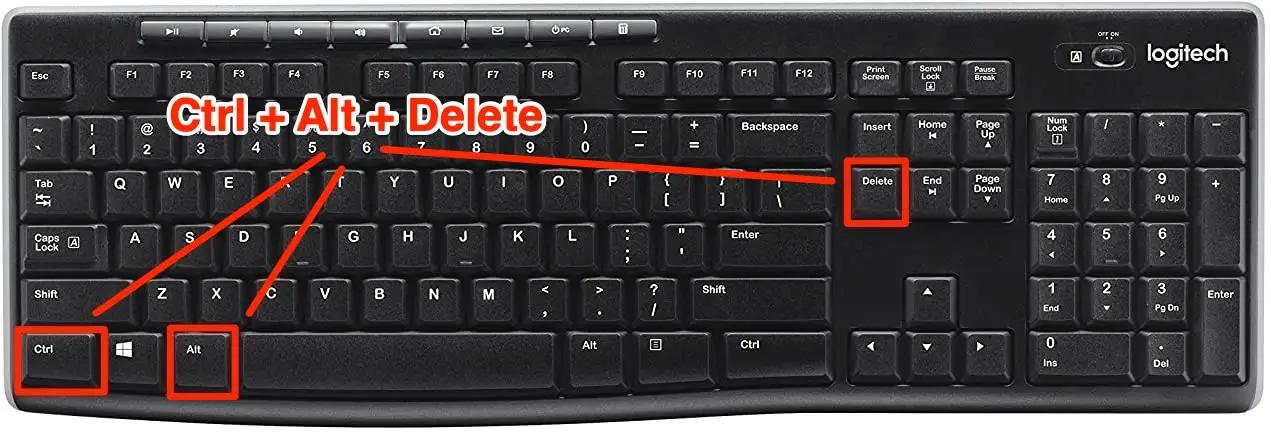
2) Press CTRL+ALT+DEL keys on your keyboard (hold down CTRL and ALT keys, then tap DEL key).
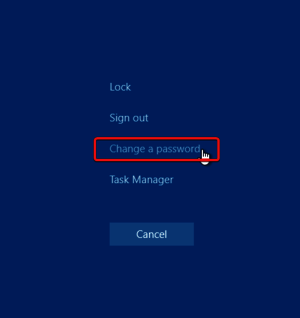
3) Select Change a Password
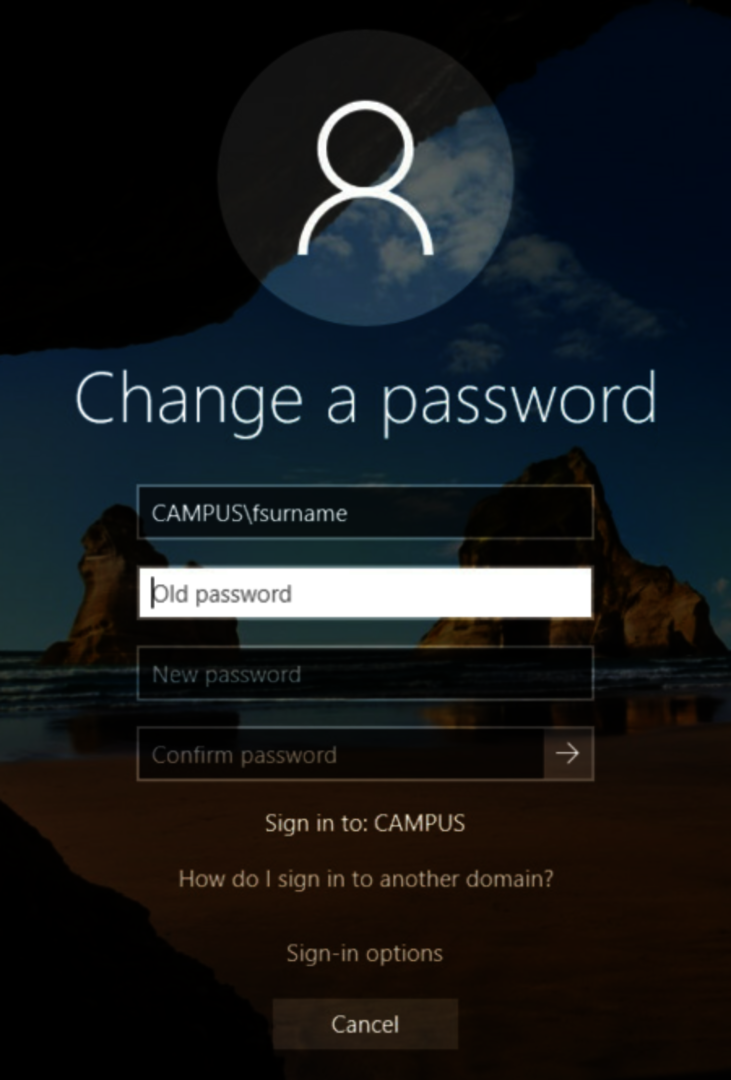
4) Enter your current password and the new password (twice) and click the right arrow.
If you have forgotten your current password or need help with resetting your Windows password, please call our service desk at 416-440-1400 option 1 for assistance.