Updated: 06 October 2021
How to Stop Pop-Ups in Chrome
Enable Google Chrome's Pop-Up Blocking Feature
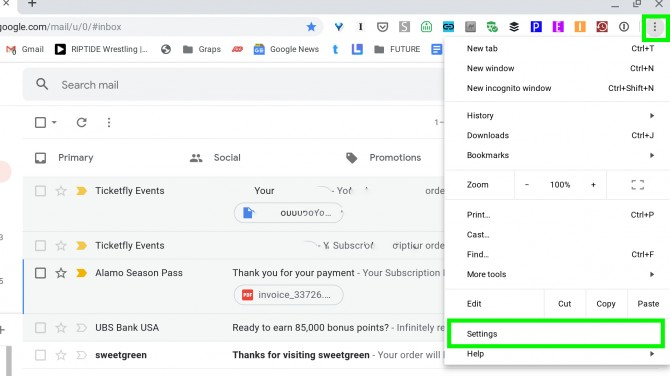
- Click on Chrome's menu icon in the upper-right corner of the browser, then select "Settings" from the list below
-
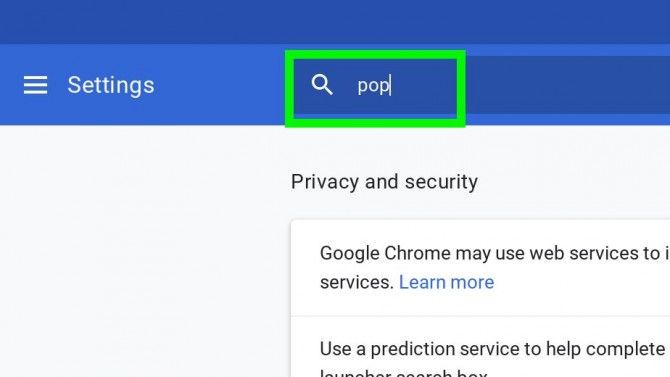
Type "pop" into the Search settings field.
-
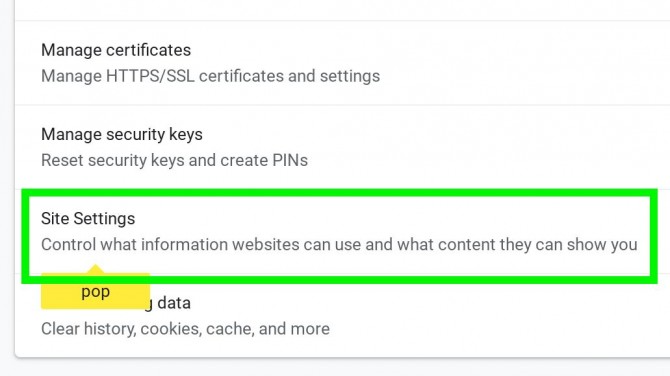
Click "Site Settings."
-
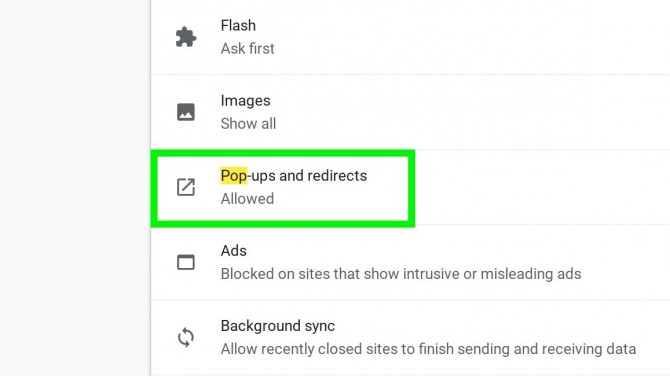
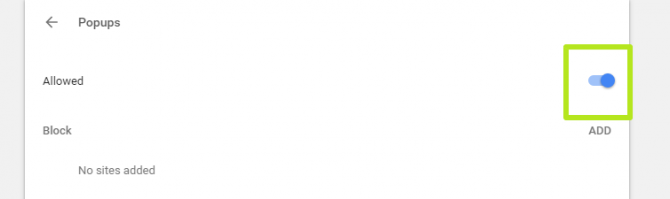
Under Popups it should say Blocked. (If it says Allowed, click Pop-ups and redirects.)
-
Turn off the switch next to Allowed.
Check Your Approved List of Sites
-
Follow steps 1 through 4 above.
-
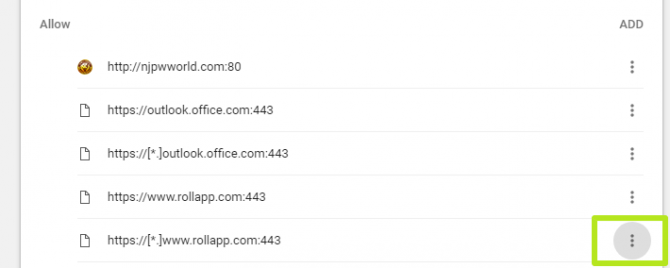
Scroll down to Allow and click on the three dots icon.
-
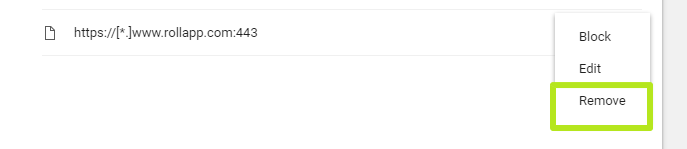
Select Remove.
-
Repeat steps 1 through 3 as necessary.
%20250px.png)